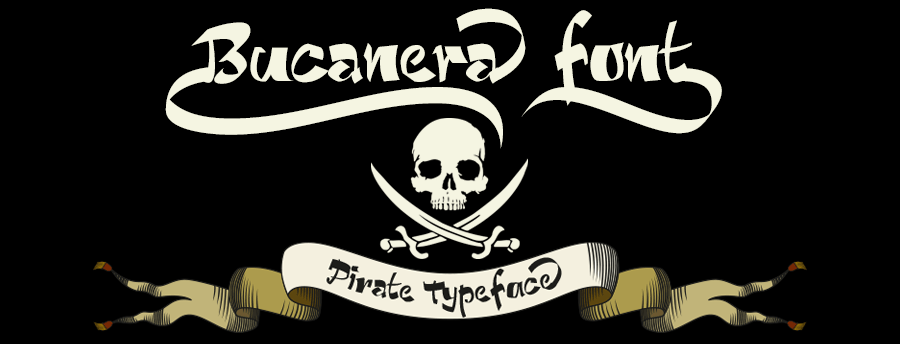
Bucanera: A Modern Script Font That Deserves More Than a Quick Download
If you have spent any time browsing font marketplaces, you have likely seen scripts that promise personality but deliver little more than a generic cursive shape. Bucanera is not that font. Designed as a modern calligraphy-style typeface with a pirate theme, it brings together old-world swagger and contemporary readability. With 506 glyphs and a deep set of OpenType features, Bucanera offers real versatility—but only if you know how to use it properly. Too often, people buy a font like this, install it, type a word, and wonder why it does not look like the promotional image. The issue is rarely the font itself. It is almost always in how it is applied, understood, or overlooked.
This article walks through the common mistakes people make when choosing, buying, and using Bucanera. The goal is not to scare you away from an excellent typeface. It is to make sure you get the full value from it, avoid frustration, and end up with work that looks intentional rather than accidental.
Judging Bucanera by Its Preview Alone
One of the most frequent missteps is seeing a single preview image, liking the look, and assuming that is all the font can do. Bucanera contains far more than the base uppercase and lowercase letters. It includes contextual alternates, discretionary ligatures, swashes, swooshes, and twelve contextual decorative ornaments that can be placed at the beginning or end of words and phrases. If you only ever see the standard character set, you are missing the entire reason this font exists.
The practical fix is simple: download the full specimen PDF or use an interactive font tester that allows you to toggle OpenType features. Many websites let you test the font with your own text before buying. Take advantage of that. Type a short phrase, then enable stylistic alternates, swashes, and ornaments one by one. You will quickly see how the same word can look completely different depending on which alternates you activate.
Another overlooked detail is that Bucanera supports the Latin-Extended-A character set. This means it covers languages such as Croatian, Czech, Danish, Dutch, Finnish, French, German, Hungarian, Icelandic, Polish, Romanian, and many more. If you work with multilingual content, this is not a luxury—it is a requirement. Many script fonts limit themselves to basic Latin, which leaves you with missing diacritics and broken layouts when you switch languages. Bucanera handles that range, but you will not know from a single preview image alone.
The Mistake of Using Bucanera Where Readability Collapses
Bucanera is a script font. It was designed to evoke the feel of hand-drawn pirate-lettering blended with modern edge. That means it works brilliantly for headlines, logos, social media graphics, invitations, posters, product labels, and short display text. It does not work well for long paragraphs of body copy, dense product descriptions, or anything that requires rapid scanning at small sizes.
People sometimes fall into the trap of thinking a single font should do everything. That is not how professional typography works. Even the most versatile script has limits. If you use Bucanera for a full page of text, your readers will likely tire quickly. The swashes and alternates that make short phrases exciting become distracting when repeated line after line. The decorative ornaments that anchor a title beautifully will clutter a paragraph.
A better approach is to pair Bucanera with a clean, neutral sans-serif or a subtle serif for body text. Let the script handle the attention-grabbing roles. For example, use Bucanera for a product name on a label, then a simple sans-serif for ingredients and instructions. That contrast gives each element a clear job and makes the overall design easier to process. Your audience will appreciate the clarity even if they do not consciously notice the pairing.
Ignoring OpenType Features and Relying on Default Characters
Bucanera ships with a long list of OpenType features: ligatures, fractions, currencies, denominators, numerators, superiors, inferiors, ordinal forms, terminal forms, initial forms, capital alternates, contextual alternates, and discretionary ligatures. That is a lot of functionality. But it does nothing until you turn it on.
The mistake many users make is installing the font, typing their text, and never opening the OpenType panel in their design software. The default letters are perfectly fine, but they represent only a fraction of what Bucanera can do. If you leave all features off, you are essentially using a different, less capable font than the one you paid for.
Take the contextual decorative ornaments as an example. These are designed to sit at the start or end of a word or phrase, adding flourish without breaking the flow of the lettering. If you do not enable them, you will only see plain terminals. The same is true for the swashes. They are accessible through the stylistic alternates and swash features in most major design apps. Learning where these buttons are in your software takes about five minutes and changes the entire feel of your output.
Similarly, the ligatures and discretionary ligatures can connect certain letter pairs in ways that feel more natural and hand-drawn. Without them, some letter combinations may look slightly disconnected, especially in a script with as much personality as Bucanera. Enabling those features lets the font behave the way its designer intended.
Underestimating What a Full Glyph Set Means for Your Work
Bucanera contains 506 glyphs. That number is not just a marketing figure. It has real consequences for how much control you have over the final look. A font with a small glyph set forces your text to look the same every time. A font with a large set gives you flexibility to avoid repetition, adjust spacing, and match the tone of specific projects.
The problem is that many people never browse the full glyph set. They type a word, see one version, and assume there is no other option. In reality, you may have two or three alternate versions of the same letter, plus terminal and initial forms that change how the font behaves at word boundaries. If you design logos or headings that need to look custom, you can choose which alternates to use for each letter rather than accepting whatever the font outputs automatically.
For example, if you are designing a brand name and the default capital "B" feels too plain, you can swap it for a capital alternate with more flourish. If the end of a word trails off awkwardly, you can apply a terminal form or a swash to give it a cleaner finish. These decisions separate amateur-looking work from professional-grade design, and they are only possible when you know what is in the font.
Forgetting the Context of the Pirate Theme
Bucanera is not a neutral script. It was inspired by a blend of classic pirate imagery—think Pirates of the Caribbean—and the rawer edge of modern maritime piracy. The letterforms carry that influence in their curves, swashes, and ornamentation. That is a strength if your project aligns with that mood. It becomes a mismatch if you try to force it into a context that calls for something more formal or delicate.
Common examples of mismatch include using Bucanera for a law firm logo, a medical practice website, or a financial services brochure. The style simply does not fit. It will look out of place and may even undermine the trustworthiness of the message. The font is best suited for creative industries, event branding, hospitality, entertainment, publishing, children's products, and anywhere a sense of adventure or rebellion is appropriate.
That said, you do not need to design a pirate-themed project to use Bucanera. The word "pirate" here describes an attitude more than a literal theme. It works for anything that benefits from a hand-drawn, slightly rough, adventurous feel. A coffee brand with a rugged identity. A fantasy book cover. A music festival poster. A craft distillery label. As long as the context supports the energy of the font, you are fine. Just do not force it into a setting that demands restraint.
Buying from Unreliable Sources or Skipping Licensing Checks
Bucanera is a commercial font, and like any quality typeface, it requires a proper license for most professional uses. Some people try to save money by downloading from free font aggregators or sharing files with colleagues outside the terms of the license. This creates several problems. The files you get may be incomplete—missing the OpenType features that make the font worthwhile. They may also contain errors, missing glyphs, or corrupted data that causes software crashes or rendering issues. Worse, you run the risk of legal liability if the publisher pursues unlicensed use.
The practical advice here is straightforward. Buy from the official source or an authorized reseller. Check the license details before purchasing. Some licenses cover only desktop use, meaning you can install the font and design print materials, but you may need a separate web license to use it on a website. If you plan to use Bucanera in a mobile app, an e-book, or broadcast media, confirm that your license covers those channels. Each license type serves a different purpose, and choosing the wrong one can lead to extra costs or compliance issues later.
If you are a freelancer or small business owner on a tight budget, look for the license tier that matches your actual needs. There is no point paying for an enterprise license if you are a solo designer producing a handful of projects per year. Conversely, do not buy a single-user license and then let your whole team install it. Read the terms. They are usually clear and short.
Neglecting to Test Across Formats Before Committing
Bucanera is hand-drawn, which gives it warmth and character. It also means that its rendering can vary depending on the medium. What looks perfect on a high-resolution screen at 72 points may look muddy or lose its fine swashes when printed at a small size on uncoated paper. Testing is not optional if you care about the final result.
Before you finalize a design, test Bucanera in the actual output format. Print a sample at the size and paper stock you intend to use. Preview it on a mobile screen at the size it will appear on a website. Check how the ornaments behave at different point sizes. If a swash extends too far and gets cut off in your layout, you need to know before you send the file to the printer or publish it live.
Another thing to test is how Bucanera handles in word-processing software versus professional design tools. If you are using Microsoft Word or Google Docs, OpenType features may be limited or inaccessible. Bucanera will still render its base characters, but you will lose the alternates, swashes, and ornaments unless your software supports them. For projects that require the full feature set, use a layout application like Adobe InDesign, Illustrator, Affinity Publisher, or similar. The font was built to be opened in capable hands.
Making the Most of What Bucanera Offers
Bucanera represents a significant amount of work. It was hand-drawn, carefully digitized, and packed with features that many script fonts leave out. The person who designed it had to balance the pirate-theme aesthetic with the practical demands of readability across print and digital formats. That balance is hard to achieve, and it shows in the final product.
If you take one thing away from this article, let it be this: do not treat Bucanera as a simple download-and-type font. Treat it as a toolkit. Open the glyph panel. Enable the features. Pair it wisely. Test it where it will actually be seen. Respect what it was made for and where it fits best. When you do those things, the font rewards you with work that looks intentional, distinctive, and polished. When you skip them, you end up with results that feel flat—and that is not the font's fault.
The market is full of scripts that promise personality but cannot deliver in real use. Bucanera can deliver, but it asks for a little effort in return. Give it that effort, and you will have a typeface that stands out for all the right reasons.